


Video Downloader - Downloader
4.74.31K Reviews
App Specs
- Version
- 1.5.3
- Updated On
- License
- Free
- Downloads
- 100,000,000+
- Developer
- Simple Design Ltd.
- Categories
- Video Players & Editors
- Platform
- Android, iOS
Screenshots
 Analysis by AppCompare
I usually reach for a video downloader when I know I’ll want to watch something later without relying on a steady connection. That might be a tutorial I want beside me while working, or a clip I’ve been sent that I’d like to revisit during a commute. Video Downloader - Downloader is built around that practical need: it offers a way to find and save videos through a mobile app rather than juggling a separate browser and a collection of links. The idea is appealing, but the right choice depends on where your videos come from and how you plan to use them.
What I would check before choosing a downloader
For this kind of app, I care less about a long feature list than about a few everyday details: can I reach the video I want, can I tell what I’m saving, and can I manage the file afterward without fuss? I also want to know whether the app suits the websites I actually use. A downloader can feel effortless on one source and be no help at all on another, so I would test it with a video I have permission to save before relying on it for a trip or a work task.
There is a useful distinction between saving a video for personal offline viewing and copying material that belongs to someone else. I would use the app for content I’m allowed to download, and I would respect the platform’s rules and the creator’s rights. If a website does not permit downloads, a third-party tool is not a good workaround; the platform’s own offline option, when available, is the better route.
Where this app is most convenient
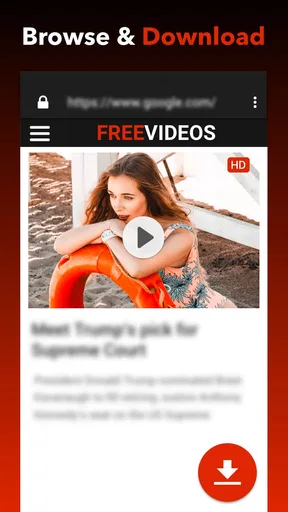
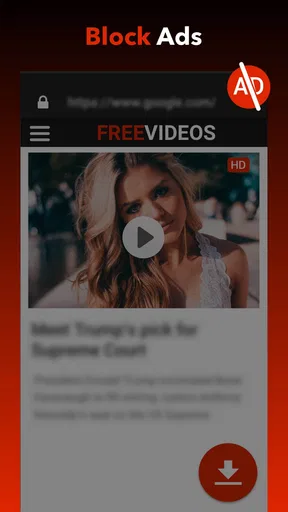
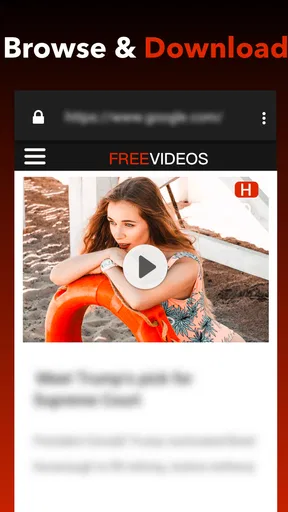
The main appeal is having the search and download process together. Instead of finding a video in one app, copying its address, and moving to another tool, the built-in browser gives you a single place to browse and act. That can be especially handy when you are collecting a few useful clips for a specific purpose, such as keeping reference material together before you leave home.
Here is a realistic example: I might find a repair tutorial while connected to Wi-Fi, preview it to make sure it covers the right model, and save it before heading to a place with unreliable reception. Once it is downloaded, I can use the download manager to locate it again rather than searching my browsing history. The preview step matters more than it first seems: it helps avoid spending storage on a long or irrelevant video when the title or thumbnail is misleading.
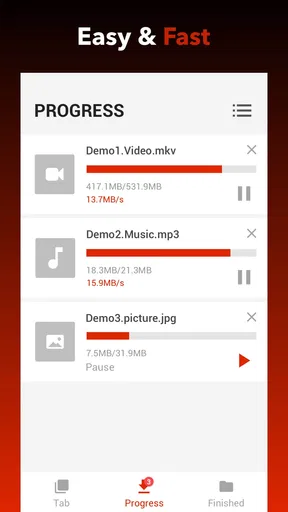
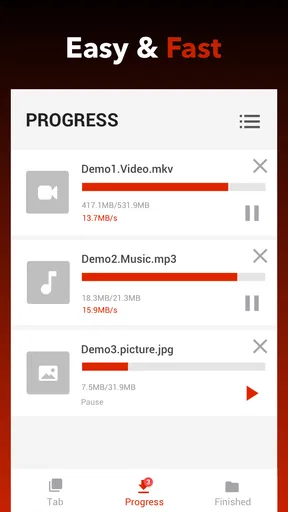
Pausing and resuming downloads is another practical advantage when a connection drops or I need to switch networks. I would still avoid starting a large download just before leaving a strong Wi-Fi area, but being able to continue later is more forgiving than starting from scratch. A sensible habit is to check the available space first and save only the resolution that suits the screen and viewing purpose; a phone-sized reference clip rarely needs the same storage commitment as a large display copy.
How it compares with other ways to save videos
Compared with a website-based downloader, an app with its own browser and download manager can keep the workflow in one place. That is useful if you often move between finding a clip and saving it. The trade-off is that you are relying on the app’s handling of each source, so I would not assume every site will work just because another one did. When a download option is unavailable, I would switch to an official offline feature or simply bookmark the page instead of repeatedly trying the same link.
Worth Reading Before You Choose

Baby Panda World Brings Quick Play to Modern Phones, but Its Game Library Feels Busy

ESPN’s Live Game View Makes Following Close Games Easier

QuizzLand Review: A Good Fit for Short Trivia Breaks, Not Every Player

Basketball Stars: Multiplayer Is Fast, but Can It Recover When Matches Go Wrong?

WEBTOON Turns Phone Updates Into a Better Reading Routine

Link to Windows Runs on Shared Habits, Not Social Feeds
Compared with a platform’s built-in offline viewing, a general downloader may feel more flexible for content it can access, while the official feature is usually the cleaner choice for material inside that service. Official offline viewing can keep the video within its original app, whereas a downloaded file is more useful when you need to find it in a download collection. The choice comes down to whether I want convenience within one service or a separate saved copy for a permitted use.
And compared with a full video editing app, this is a narrower tool. It is for collecting and viewing videos, not for trimming, adding captions, or assembling a finished project. If my goal is to produce or edit content, I would choose an editor rather than expect a downloader to do both jobs. Keeping those roles separate makes it easier to pick an app that matches the task.
Getting Started with Video Downloader
The first thing I noticed when I fired up Video Downloader - Downloader was its clean and user-friendly interface. I’m not a tech wiz, but the app made me feel like one. It’s pretty straightforward—no complicated menus or confusing buttons. Just a search bar at the top where you can paste the URL of the video you want to download. Easy peasy!
Features That Stand Out
Now, let’s talk about the features. One of the coolest things about this app is its ability to download in multiple formats and resolutions. Whether you want a high-def version for your tablet or a lighter version for your phone, it’s got you covered. I tried downloading a few different videos, and the speed was pretty impressive. No long waits, just quick downloads.
Another neat feature is the built-in browser. This means you don’t have to switch between your web browser and the app. You can search for videos directly within the app itself. It’s a small touch, but it makes a big difference when you’re multitasking.
Using the App: A Smooth Ride
Using the app was a breeze. I found a music video I wanted to download, popped the link into the search bar, and bam! It was ready to download in seconds. The app also lets you preview videos before downloading, which is a handy feature if you’re unsure about the content.
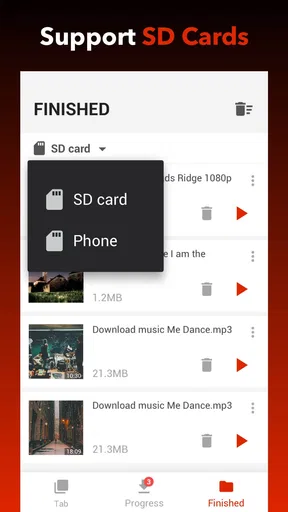
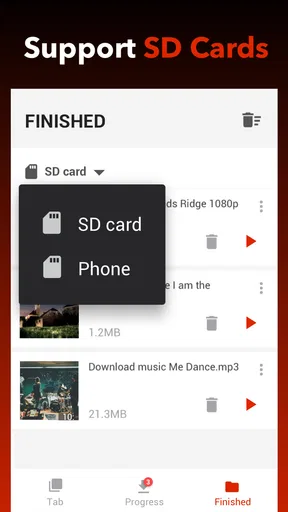
I also appreciated the download manager feature. It keeps all your downloads organized, so you can easily find them later on. Plus, you can pause and resume downloads, which is perfect if you’re on a spotty Wi-Fi connection.
What I Loved Most
One thing that really stood out to me was how lightweight the app is. It doesn’t hog your phone’s resources, so you can still use your device without any lag. This is a big plus for me, as I often have a ton of apps open at once.
Another highlight is the app’s compatibility with a wide range of websites. From social media platforms to video hosting sites, it seems like there’s nothing this app can’t handle. It’s like having a Swiss Army knife for video downloads!
Who should choose it—and who might not
This is a sensible pick if you want a straightforward way to save permitted videos, prefer browsing and downloads in one place, and value a manager that can pause and resume transfers. It may suit students saving course material where downloads are allowed, travelers preparing a small offline watch list, or anyone who wants to keep a tutorial handy for a task away from reliable internet.
I would skip it if you mainly watch videos inside services that already offer dependable offline viewing, or if you need editing tools rather than saved copies. I would also avoid treating broad website compatibility as a guarantee: sites change how they deliver video, and access can vary. If a particular source is central to your routine, test it first rather than planning around an assumption.
Availability, cost, and the switching decision
Simple Design Ltd. makes this free video player and editor-category app, which is listed for Teen users. It has a 4.7 average from around 590,000 ratings, and it has passed 100 million installs. The current version is 1.5.2, it requires Android 6.0 or later, and in-app purchases are offered at $2.99 per item. I would begin with the free option and see whether the basic workflow fits before spending anything.
Switching from another downloader is not especially complicated in principle, but the real cost is rebuilding your habits: you may need to find saved videos again, check which sources work for you, and decide how you want to organize new downloads. I would keep the old method available until I had tested the new one with a few ordinary links. If you only save videos occasionally, a browser bookmark or an official offline feature may be simpler than moving your routine to a separate app.
One small workflow improvement is to treat downloads as a short-term library rather than an ever-growing archive. After watching a tutorial or finishing a trip, I would review the saved items and remove videos I no longer need. That keeps the collection easier to browse and prevents forgotten files from taking up space. For clips I want to keep, I would use clear, recognizable names where the app permits it, instead of relying on memory or a generic thumbnail.
If you are wondering whether you need to paste a link every time, the app’s built-in browser offers another route: find the video there and use the available download flow. If you are unsure whether a clip is the right one, preview it first. And if your connection is unstable, the pause-and-resume option can help, although I would still start downloads on a reliable network when possible. Those small decisions make the difference between a useful offline collection and a folder full of files you never watch.
Final Thoughts
In a world where content is king, having an app like Video Downloader - Downloader is a game-changer. It’s fast, efficient, and incredibly easy to use. Whether you’re looking to save a tutorial for later or just want to build a collection of your favorite videos, this app has got your back.
Would I recommend it? Absolutely. It’s perfect for anyone who wants to download videos on the go without any hassle. Give it a try, and you might just find it becomes an essential tool in your app arsenal.
Pros
- Supports multiple formats and resolutions.
- Fast download speeds for large files.
- User-friendly interface for easy navigation.
- Supports batch downloading efficiently.
- No registration required to use features.
Cons
- Contains ads that can be intrusive.
- Requires permissions that might concern users.
- No built-in media player for previews.
- Limited support for certain websites.
- In-app purchases for ad removal.
FAQs for Video Downloader - Downloader
What platforms does Video Downloader - Downloader support?
Video Downloader - Downloader is compatible with both Android and iOS devices. This makes it accessible to a wide range of users, allowing you to download videos directly to your smartphone or tablet, whether you are using an Android device or an iPhone.
Is Video Downloader - Downloader free to use?
Yes, Video Downloader - Downloader offers a free version that includes basic features. However, there may be in-app purchases or advertisements to unlock premium features or remove ads. It's always a good idea to check the app's description for any potential costs.
Can Video Downloader - Downloader download videos from all websites?
Video Downloader - Downloader supports a wide range of popular video-sharing websites. However, it may not work with all platforms, especially those with strict copyright protections. Users should ensure they have permission to download and save content from certain websites.
How do I download a video using Video Downloader - Downloader?
To download a video, simply copy the URL of the video you wish to download and paste it into the app. The app will process the link and provide download options in various formats and resolutions. Choose your preferred settings and start the download.
Is it legal to use Video Downloader - Downloader?
The legality of using Video Downloader - Downloader depends on how you use it. Downloading copyrighted content without permission is typically against the terms of service of most platforms. Users should only download videos they have the right to or are in the public domain.


